PropulsoIQ holds every performance test against the engine's own shop test at the same power, corrects it to ISO conditions and ranks the likely causes of each deviation, with the checks that confirm them.
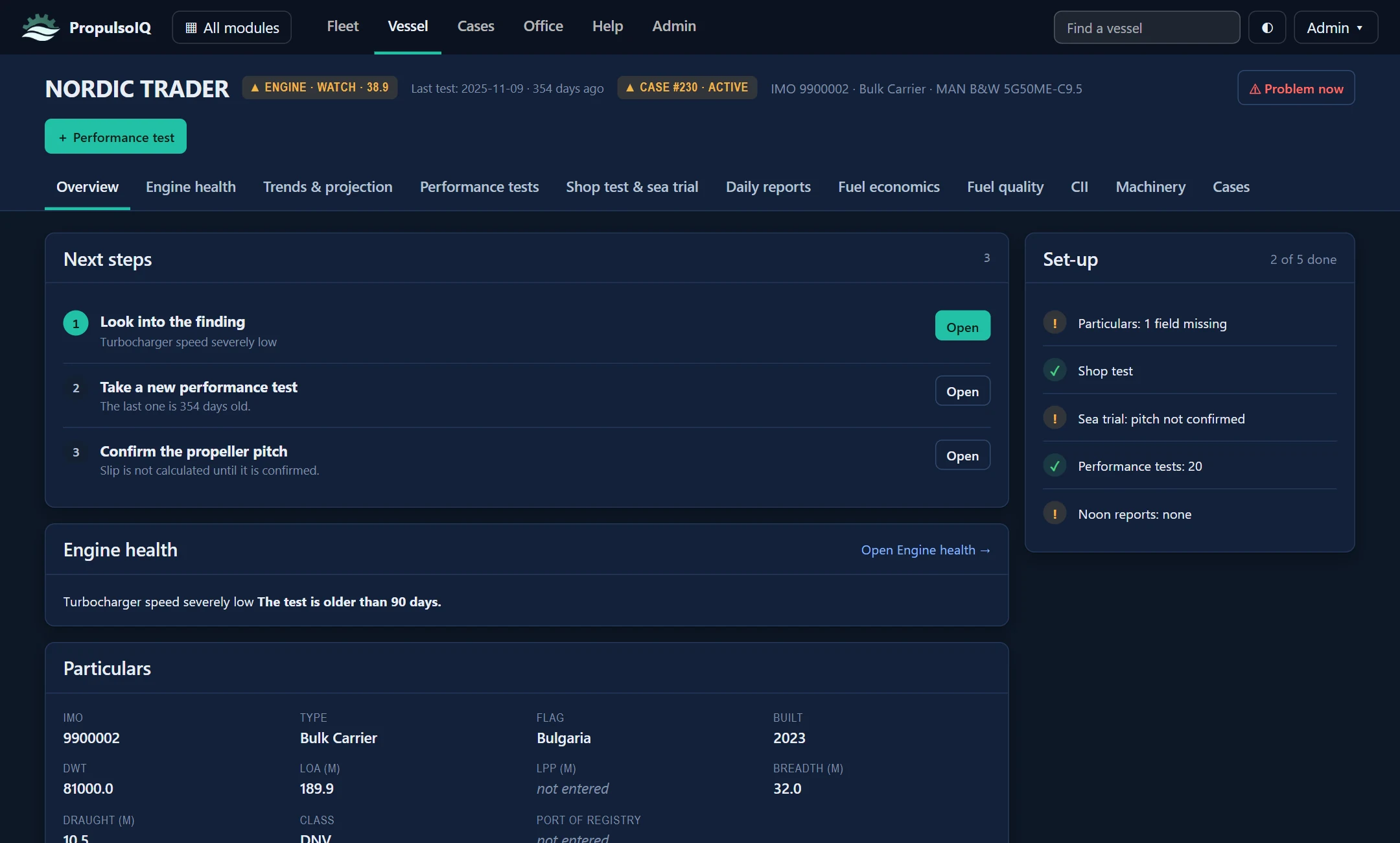
Screens from the application, shown with example vessels. Select a view, and click a screen to enlarge it.
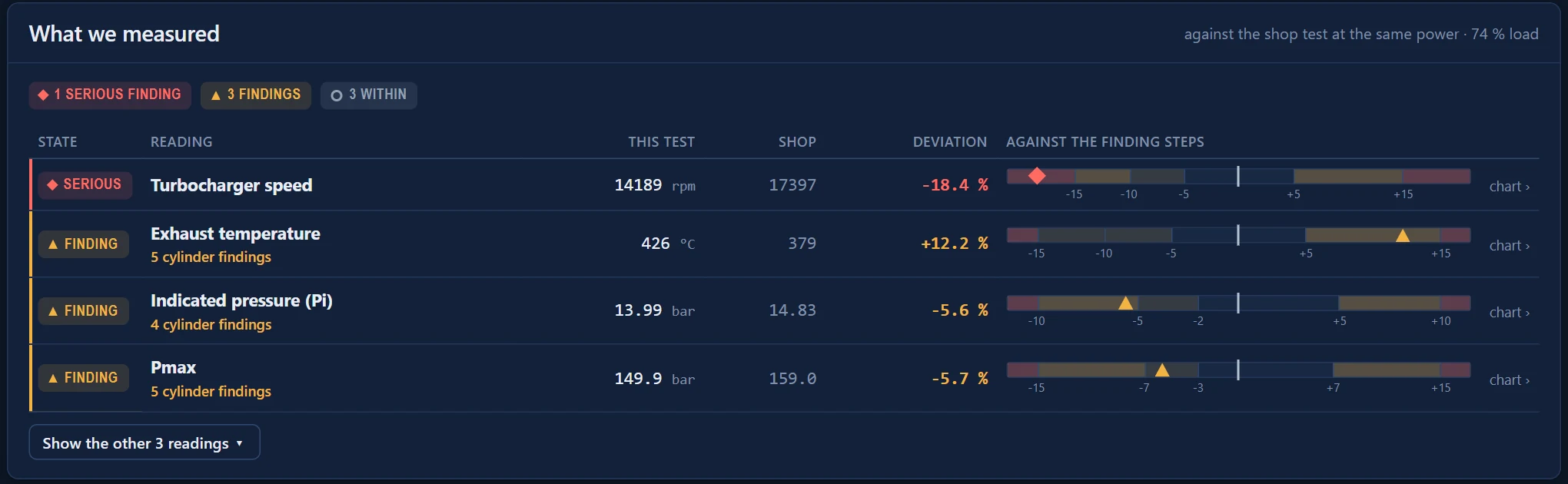
Turbocharger speed, exhaust temperature, Pi, Pmax, Pcomp, scavenge pressure and SFOC, each with its shop value, its deviation in per cent and where that deviation stands on the steps at which it becomes a finding.
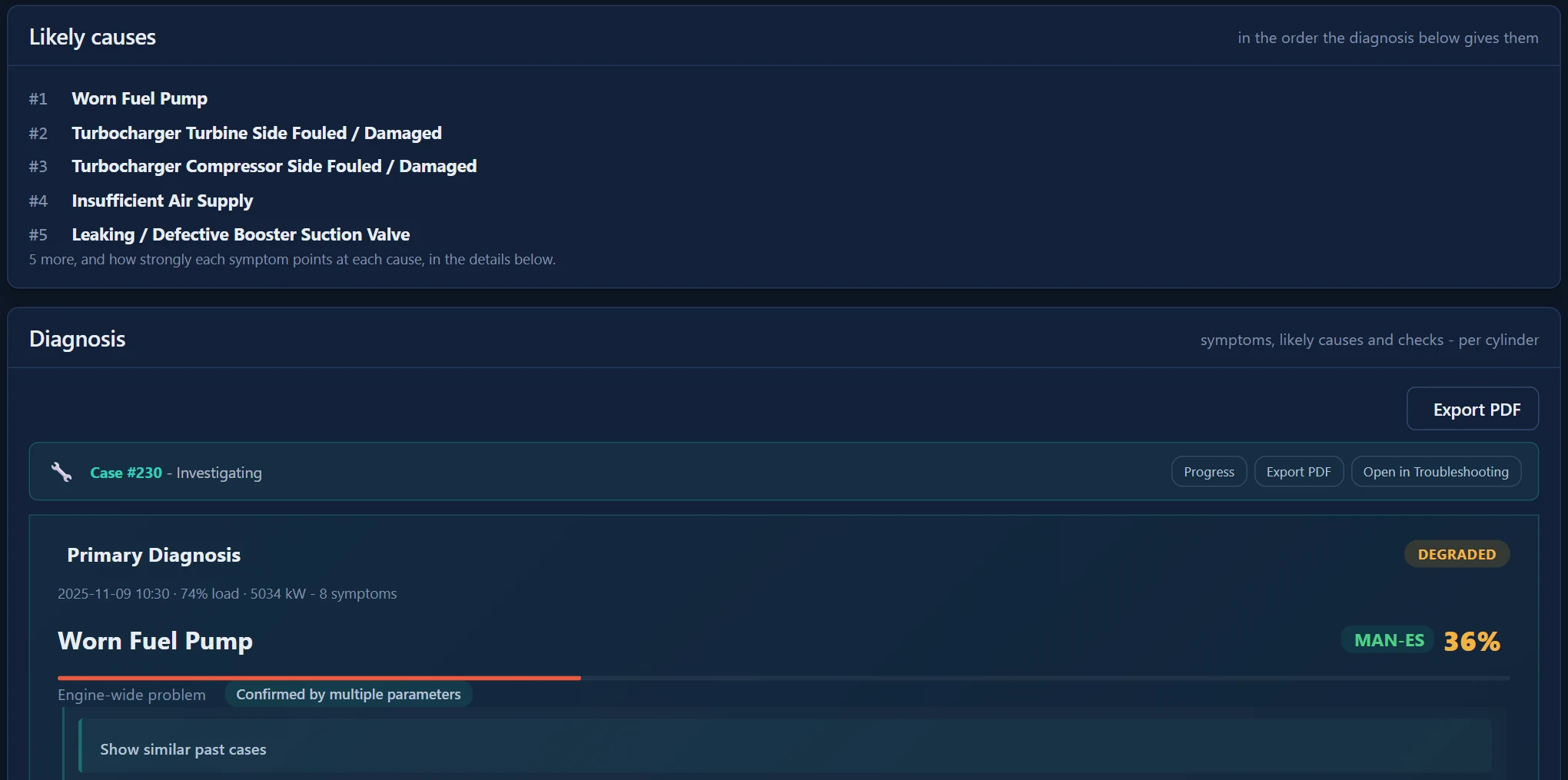
The symptoms of the test are read together and ranked by the causes they point to. The first cause comes with checks and actions that can be marked on board, and a case follows the work to its verdict.
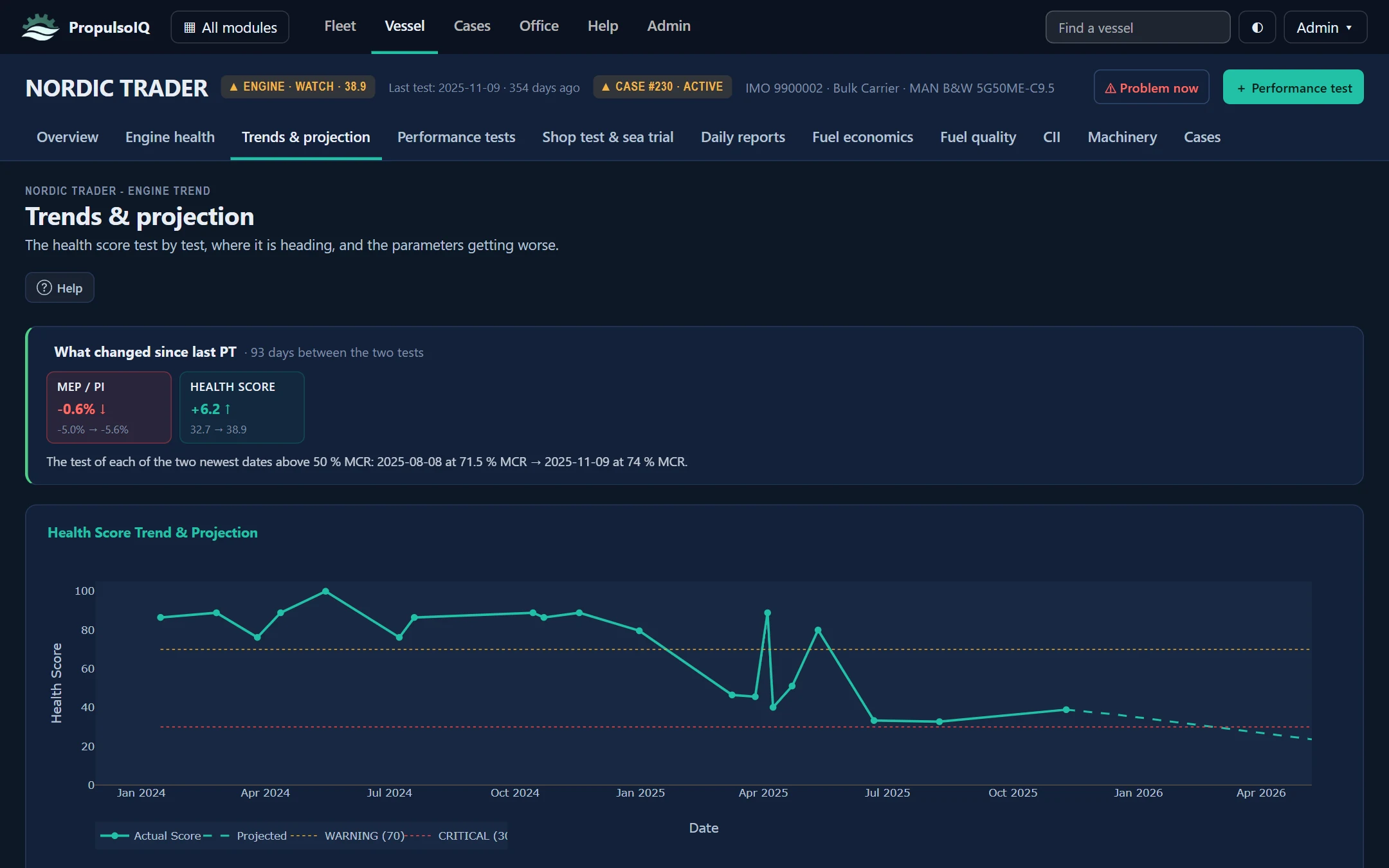
The health score of every test on one line, what changed since the previous test, and a projection only where the series supports one.
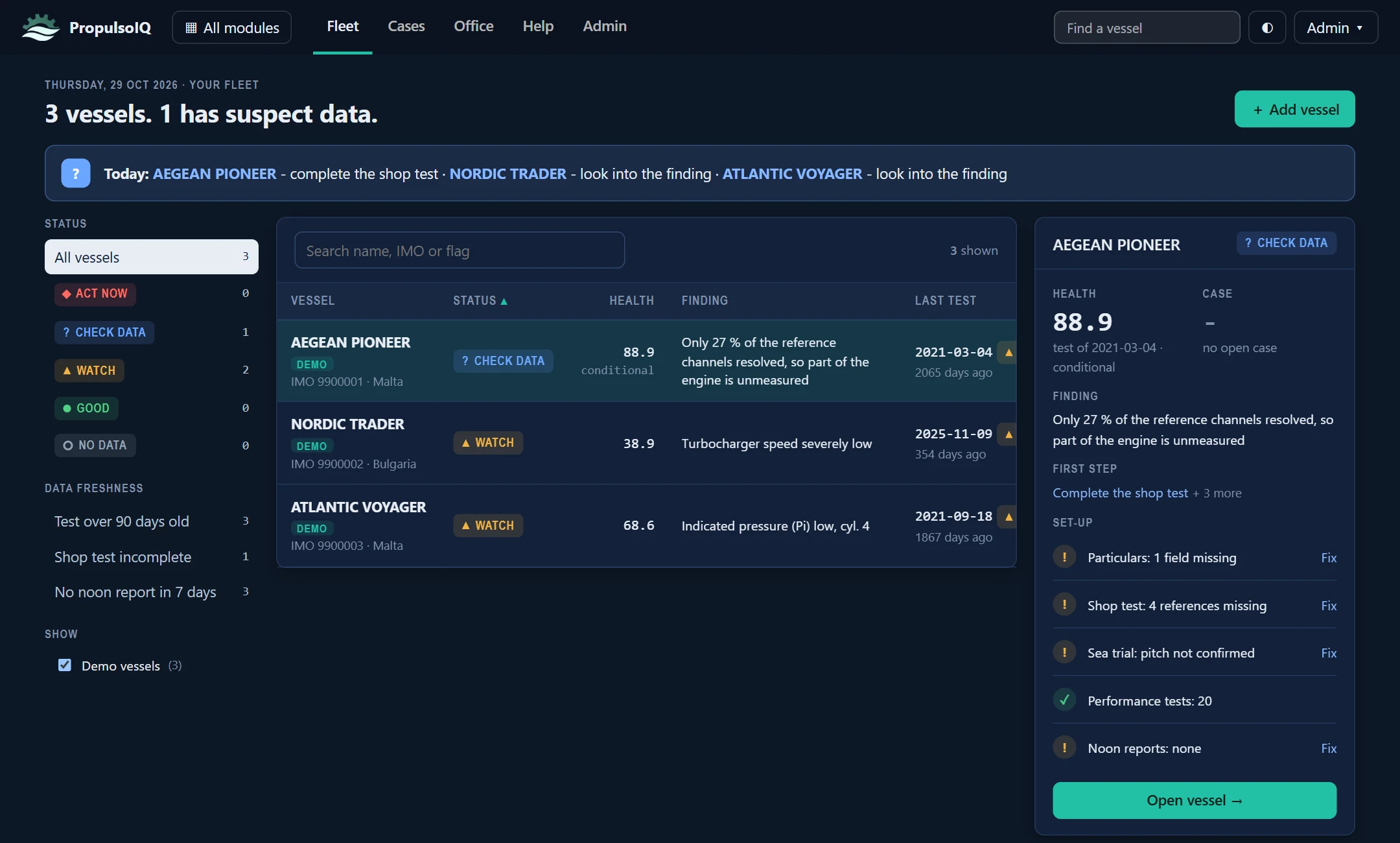
Each ship's status, health score, main finding and the age of its last test, with what to do first and what is still missing from its set-up.
Every figure on the screen can be followed back to the readings of the test it came from.
Type it into the form or import the EDS sheet. Impossible values are caught before the save.
Pmax, Pcomp, Pscav, exhaust temperature and SFOC are corrected with the formulas of the engine maker's operation manual.
Each corrected reading is held against the shop test at the same power. A cylinder is named only when it stands apart from the others.
The deviations are read together into ranked causes, with checks, actions and a PDF report for the office or Class.
The same vessel record carries the noon reports, the fuel and the emissions.
Noon reports typed in or imported. The ship's speed is read against her own history, with the weather taken into account.
Extra fuel split between the main engine and the hull and propeller, priced per day.
Laboratory analyses placed on the bunkers the noon reports record, and on the tests that burned them.
Attained and required carbon intensity with the A to E rating, from the fuel and distance the ship records.
A finding opened as a case and followed through checks and observations to a recorded verdict.
PDF reports of the analysis, the diagnosis and the fuel economics, in English and Bulgarian.
For the technical office. Every vessel of the fleet in the browser, with nothing to install.
For the ship. The same analysis on a Windows computer, with no internet connection needed.
Send us one performance test and the engine's shop test, and we will show you what PropulsoIQ reads from them.
Request a demo Or write to us at info@propulsoiq.com PropulsoIQ